AI Agent Development
LLM Observability
Production Engineering
How to Evaluate AI Agents in Production: Observability, Cost Attribution, and the Emerging Eval Stack

Codse Tech
March 9, 2026
How to Evaluate AI Agents in Production: Observability, Cost Attribution, and the Emerging Eval Stack
AI agent demos can look impressive in staging and fail silently in production.
The common failure mode is simple: teams measure model quality once, then ship without continuous AI production monitoring. Latency drifts. Token usage spikes. Retrieval quality degrades. Tool-call errors increase. User trust falls before anyone notices.
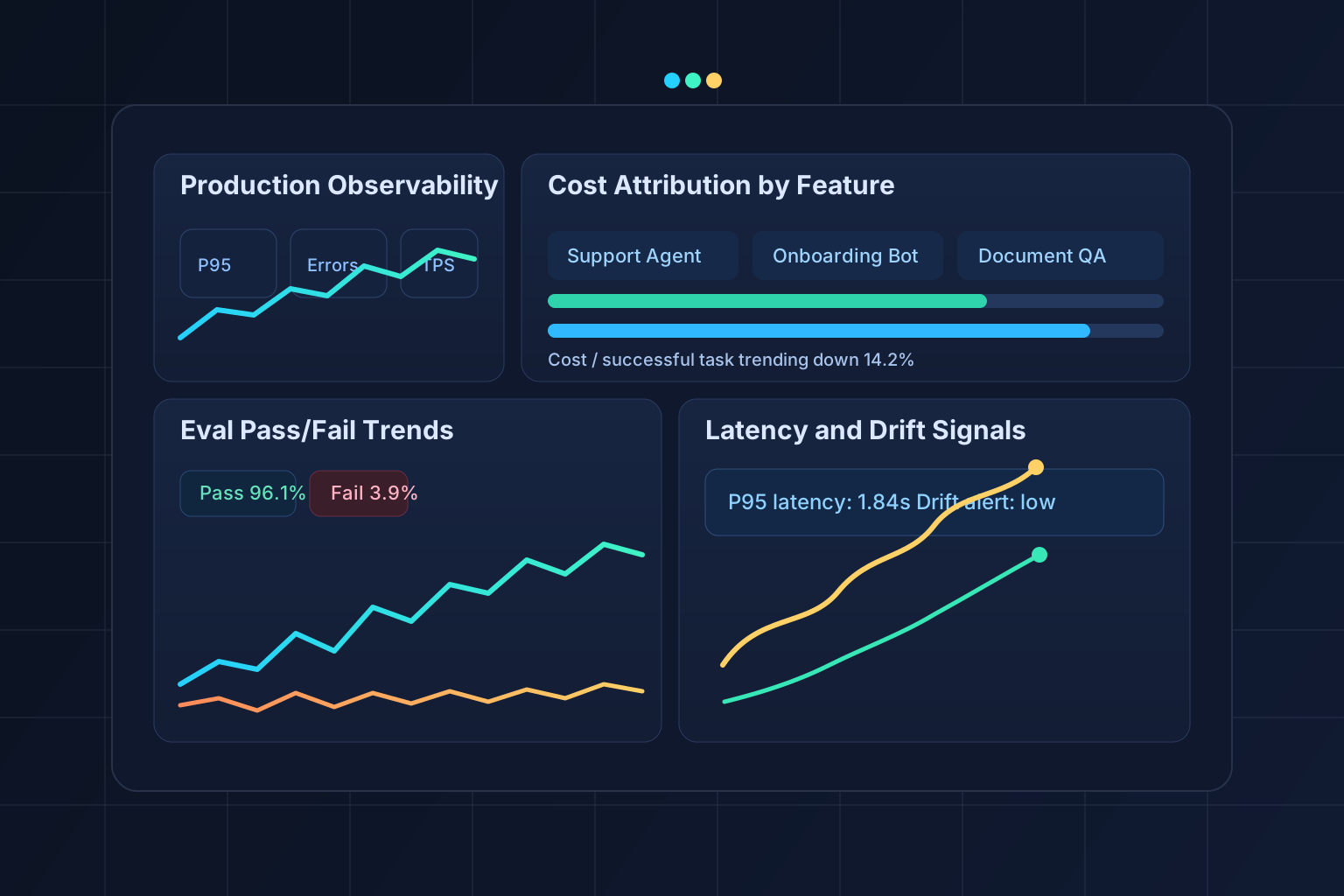
This guide explains how to run AI agent evaluation as an ongoing engineering function, not a one-time benchmark. It covers the practical stack used by high-performing teams in 2026: observability, eval pipelines, prompt lifecycle management, and cost attribution by feature.
Why AI Agent Evaluation Changed in 2026
Early LLM products were mostly single-turn generation tasks. Modern agents are multi-step systems that route across tools, memory stores, retrieval layers, and workflow engines.
That means quality is no longer a single score.
Production outcomes now depend on:
- Input quality and retrieval relevance
- Prompt and policy versions
- Model/provider behavior under load
- Tool-call success and retry handling
- Latency and timeout budgets
- Cost per successful task
Without a formal eval stack, teams only see outcomes after support tickets appear.
The Core Metrics for AI Production Monitoring
A production-grade AI agent scorecard should track five layers.
1. Task Success Metrics
These metrics reflect whether business goals are met:
- Task completion rate
- First-pass success rate
- Human escalation rate
- User correction rate
- Time-to-resolution
If the agent answers quickly but users still escalate, quality is still low.
2. Quality Metrics (Model and Workflow)
Track both model output and workflow behavior:
- Hallucination rate
- Retrieval precision and recall
- Tool-call argument validity
- Structured output schema pass rate
- Policy/safety violation rate
Automated graders plus periodic human review provide the best signal.
3. Performance Metrics
Latency is a product feature, not just infrastructure telemetry:
- P50/P95/P99 latency per route
- Tool-call latency by dependency
- Timeout and retry rates
- Queue depth and concurrency pressure
Target separate budgets for chat UX, automation jobs, and background workflows.
4. Cost Metrics
Cost control requires granular attribution, not monthly provider totals:
- Cost per request
- Cost per successful task
- Cost per feature and tenant
- Token in/out by route and prompt version
- Failed-call and retry burn
Feature-level cost attribution is the difference between optimization and guesswork.
5. Drift and Stability Metrics
Production quality drifts even when no code changes ship:
- Eval score trend by prompt/model version
- Retrieval corpus drift indicators
- User intent mix shift
- Provider behavior changes across model releases
- Regression rate after prompt updates
Drift detection should trigger alerts before SLA impact.
The Emerging Eval Stack: Braintrust, Helicone, PromptLayer
No single tool handles every layer. Most teams combine platforms by responsibility.
Braintrust for Evaluation Pipelines
Braintrust is commonly used for dataset-backed evaluation workflows:
- Versioned eval datasets and test cases
- Automated grading and rubric scoring
- Regression checks across prompt/model variants
- Benchmark comparisons before promotion
Use it to answer: "Did this change improve or degrade task quality?"
Helicone for LLM Observability and Cost Analytics
Helicone is often used as the observability and cost lens:
- Request and response traces
- Latency and error dashboards
- Token usage and spend analysis
- Route-level anomaly detection
Use it to answer: "What is happening in production right now?"
PromptLayer for Prompt Lifecycle and Governance
PromptLayer is often used for prompt versioning and operational governance:
- Prompt and template version control
- Deployment tracking
- Prompt-level analytics
- Team collaboration and rollback visibility
Use it to answer: "Which prompt version is live, and what changed?"
Practical architecture pattern
A reliable architecture separates tracing, eval, and release controls:
Client -> Agent API -> Orchestrator -> Model/Tools/RAG
                 |         |             |
                 |         |             -> structured logs
                 |         -> trace + token + latency telemetry
                 -> prompt version + feature tags

Nightly and PR pipelines:
  eval datasets -> automated grading -> gate pass/fail -> deploy
This pattern supports both fast experimentation and controlled production releases.
Eval-as-CI/CD: The New Default for Agent Teams
Traditional CI/CD checks unit and integration tests. AI systems need an additional layer: eval gates.
Before promoting any prompt, tool policy, model, or routing change:
- Run a fixed benchmark eval set.
- Run a risk-focused edge-case eval set.
- Compare quality, latency, and cost deltas.
- Block release if thresholds regress.
A simple gating policy can look like this:
- Quality score must not drop more than 1.5%
- P95 latency must remain under 2.0s
- Cost per successful task must not increase more than 10%
- Safety/policy violations must not increase
This removes subjective release decisions and protects reliability.
How to Implement Cost Attribution Per Feature
Many teams track total LLM spend but still cannot answer where margin is lost.
The solution is event tagging from day one.
For every request, log:
- Feature name (for example: support-assistant, document-review, onboarding-agent)
- Tenant or customer segment
- Prompt version
- Model/provider
- Token input and output
- Tool-call count and failure count
- Final task status (success, partial, failed, escalated)
Then compute:
- Cost per successful task by feature
- Cost per escalated task
- Cost trend by tenant segment
- Savings from cache hits or response compression
This turns cost optimization into an engineering workflow instead of a finance surprise.
Drift Detection That Actually Works
Drift detection often fails because monitoring only tracks generic request volume.
Effective drift detection for AI agents includes:
- Scheduled replay of golden datasets
- Alerting on score deltas by intent category
- Retrieval quality checks for top intents
- Monitoring model-version rollout effects
- Monitoring tool schema mismatch rates
A practical setup:
- Hourly checks for latency, error rate, and spend spikes
- Daily eval replay for top business-critical workflows
- Weekly deep review of failed conversations and escalation clusters
Implementation Roadmap (30 Days)
Teams can stand up a production-ready baseline quickly with a phased plan.
Week 1: Instrumentation baseline
- Add request IDs and trace IDs across agent services
- Log token usage, latency, tool calls, and final outcomes
- Add feature and tenant tags for attribution
- Build first dashboard for quality, latency, and spend
Week 2: Eval datasets and gates
- Define 50 to 200 real-world eval cases per core feature
- Add auto-graders plus manual review sample sets
- Create pass/fail thresholds for quality, latency, and cost
- Block releases when threshold breaches occur
Week 3: Prompt and model governance
- Enforce prompt versioning for all production routes
- Record model version changes in release logs
- Add rollback playbook for degraded releases
- Document feature-level ownership and SLAs
Week 4: Drift and optimization loops
- Schedule daily replay evals and regression alerts
- Add dashboards for cost per successful task
- Identify top three cost and latency hotspots
- Implement optimization experiments with before/after measurement
Common Mistakes That Break AI Agent Evaluation
Even with modern tools, several mistakes repeatedly slow teams down:
- Treating evals as a one-time benchmark instead of a release gate
- Tracking only response quality while ignoring task completion
- Ignoring cost per successful task
- Shipping prompt changes without version tags
- Running no replay tests after retrieval or schema changes
- Measuring averages only and ignoring P95/P99 spikes
Each mistake creates blind spots that can look like random production instability.
Reference Event Schema for Reliable Attribution
Production AI systems improve faster when every request emits a consistent event schema. Inconsistent telemetry is one of the biggest blockers to useful AI production monitoring.
A practical event model should include these fields:
request_id: unique trace correlation keyfeature: business capability nametenant_id: customer scope for attributionagent_route: workflow or prompt route identifierprompt_version: immutable prompt/template versionmodel_providerandmodel_nameinput_tokensandoutput_tokenstool_calls_total,tool_calls_failedlatency_ms_total, plus stage-level latency if availablestatus: success, partial, failed, escalatedfailure_reason: timeout, validation, policy, tool_error, unknown
With this schema in place, teams can answer critical questions quickly:
- Which feature consumes the most tokens per successful outcome?
- Which tenant has the highest escalation rate?
- Which prompt version increased failure rates this week?
- Which tool dependency is causing P95 latency regressions?
Without normalized fields, teams end up writing custom queries for every question, which slows incident response and optimization loops.
Dashboard Design: What Product and Engineering Should See
AI agent evaluation works best when each function sees the metrics it controls.
Engineering dashboards should emphasize:
- Latency by stage (retrieval, model, tool execution)
- Error rates by failure class
- Regression alerts by route and version
- Infrastructure saturation signals
Product dashboards should emphasize:
- Task success and completion trends
- Escalation and user correction rates
- Business-critical workflow reliability
- Cost per successful task by feature
Leadership dashboards should emphasize:
- Margin impact by AI feature
- Reliability trends for top revenue workflows
- Weekly risk and regression summary
- Forecasted spend under current growth
Separating dashboard audiences avoids the common failure mode where one overloaded dashboard serves nobody well.
Incident Response Pattern for AI Quality Regressions
A robust eval stack should connect directly to incident response procedures. When quality drops, teams need a deterministic sequence.
Use a five-step response loop:
- Detect: alert triggers from eval deltas, latency spikes, or failure-rate thresholds.
- Triage: isolate by route, prompt version, model version, and tenant segment.
- Mitigate: rollback prompt/model, disable risky tools, or activate fallback flow.
- Verify: replay high-risk eval set and compare pre/post metrics.
- Prevent: add missing test cases and adjust release gates.
For severe degradations, define automatic controls:
- Auto-disable new prompt versions crossing failure thresholds
- Route traffic to stable model fallback when latency exceeds SLO
- Temporarily cap expensive workflows when cost anomaly triggers
This turns evaluation into a reliability system rather than a passive analytics layer.
Example Eval Matrix for a Customer Support Agent
A practical matrix should test both behavior and outcomes.
| Dimension | Example check | Pass criteria |
|---|---|---|
| Accuracy | Answer matches knowledge base policy | ≥ 95% on priority intents |
| Grounding | Response cites valid retrieval context | ≥ 98% with source mapping |
| Tool reliability | CRM lookup and ticket-create tool calls succeed | ≥ 99% success |
| Latency | End-to-end response time | P95 under 2.0s |
| Cost | Cost per successful support resolution | ≤ predefined budget |
| Safety | No policy violations in regulated intents | 0 critical violations |
This matrix should run at release time and on daily replay datasets.
How to Prioritize Optimization Work
Many teams collect metrics but struggle to choose what to improve first. A simple prioritization model helps:
- High business impact + high failure rate: fix immediately
- High business impact + high cost per task: optimize within current sprint
- Low impact + high complexity: defer
- High latency + high correction rate: redesign route or tool strategy
A weekly optimization review should produce a short list of measurable experiments, such as:
- compressing prompts for high-volume routes
- adding retrieval reranking for low-grounding intents
- introducing response caching for repetitive queries
- tightening tool schemas to reduce invalid arguments
Each experiment should have a baseline, a target, and a post-change eval report.
Build-vs-buy consideration for the eval stack
Some teams start with custom dashboards and scripts. That can work for early pilots but breaks under multi-feature scale.
A hybrid approach usually performs best:
- Buy: observability and prompt lifecycle tooling
- Build: business-specific evaluators, score rubrics, and workflow-specific metrics
For product teams building agent capabilities under delivery pressure, this hybrid model reduces time-to-stability.
For deeper architecture support, see AI Agent Development services and AI Integration services.
Production Checklist for AI Agent Evaluation
Use this as a go-live gate before scaling traffic:
- Feature-level trace, cost, and latency tagging is live
- Prompt versions are tracked and searchable
- Automated eval suite runs on each release candidate
- Pass/fail thresholds are enforced in CI/CD
- Daily replay evals are scheduled
- Drift alerts route to on-call channels
- Cost per successful task dashboard is visible to engineering and product
- Rollback runbook is tested
Final Takeaway
AI agent systems are now operational software, not experimental interfaces. The teams that win in 2026 are not the teams with the most prompts, but the teams with the strongest evaluation discipline.
LLM observability, cost attribution, and eval-as-CI/CD are the new production baseline.
Organizations that put this stack in place early ship faster, reduce regressions, and protect margins as usage scales.
Need help operationalizing AI production monitoring for a new or existing agent stack? Start with a scoped implementation plan through AI Agent Development or AI Integration Services.
AI Agent Development
Production agent systems with built-in observability, evaluation pipelines, and cost controls.
Explore serviceAI Integration Services
Connect AI agents to your existing infrastructure with monitoring and governance from day one.
Explore serviceFAQ: AI Agent Evaluation in Production
What is AI agent evaluation?+
AI agent evaluation is the process of continuously measuring whether agent workflows complete real tasks accurately, safely, quickly, and cost-effectively in production.
What is the difference between LLM observability and evals?+
LLM observability explains what happened in production (latency, token usage, errors). Evals determine whether a change is better or worse against defined quality criteria.
Why is cost attribution important for AI agents?+
Without cost attribution by feature and outcome, teams cannot optimize margin. Total monthly provider spend does not reveal which workflows are efficient or unprofitable.
How often should evals run?+
Run gating evals on every release candidate, daily replay evals for business-critical flows, and weekly deep reviews for drift and escalation trends.
Which tools are common in the 2026 eval stack?+
Many teams combine Braintrust for evaluation pipelines, Helicone for observability and spend analytics, and PromptLayer for prompt lifecycle management.
AI agent evaluation
LLM observability
AI production monitoring
eval as CI/CD
cost attribution
drift detection
Braintrust
Helicone
PromptLayer