f(x) = σ(Wx + b)∇loss.backward()model.predict(x)torch.nn.Transformerawait fetch('/api')git rebase -i HEAD~3docker compose up -dconsole.log('here')∫f(x)dx∑(i=0→n)O(log n)fn main() -> Result<>SELECT * FROM userskubectl get pods{ ...state, loading }npm run build && deploypipe(filter, map, reduce)env.PROD=true
Codse logo
  • Services
  • Work
  • OpenClaw
  • Blog
  • Home
  • Services
  • Work
  • OpenClaw
  • Blog

Get in touch

Let's build something

Tell us what you're working on. We'll scope it within 48 hours and propose a sprint or retainer that fits.

Quick links

ServicesWorkOpenClawBlog

Also find us on

GithubFacebookInstagram
Codse© 2026 Codse
Software · AI Agents
AI Development
Guides
Startups

AI Agent Development for Startups: A Practical Framework for Building Your First Production Agent

Codse Tech
Codse Tech
February 24, 2026

Many startups can get an agent demo running in a day. Shipping one that is measurable, safe, and cost-stable is the real work.

This guide is a practical framework for first production deployments. It covers problem selection, tool design, guardrails, evaluation, and rollout, with a focus on predictable operations rather than prototype novelty.

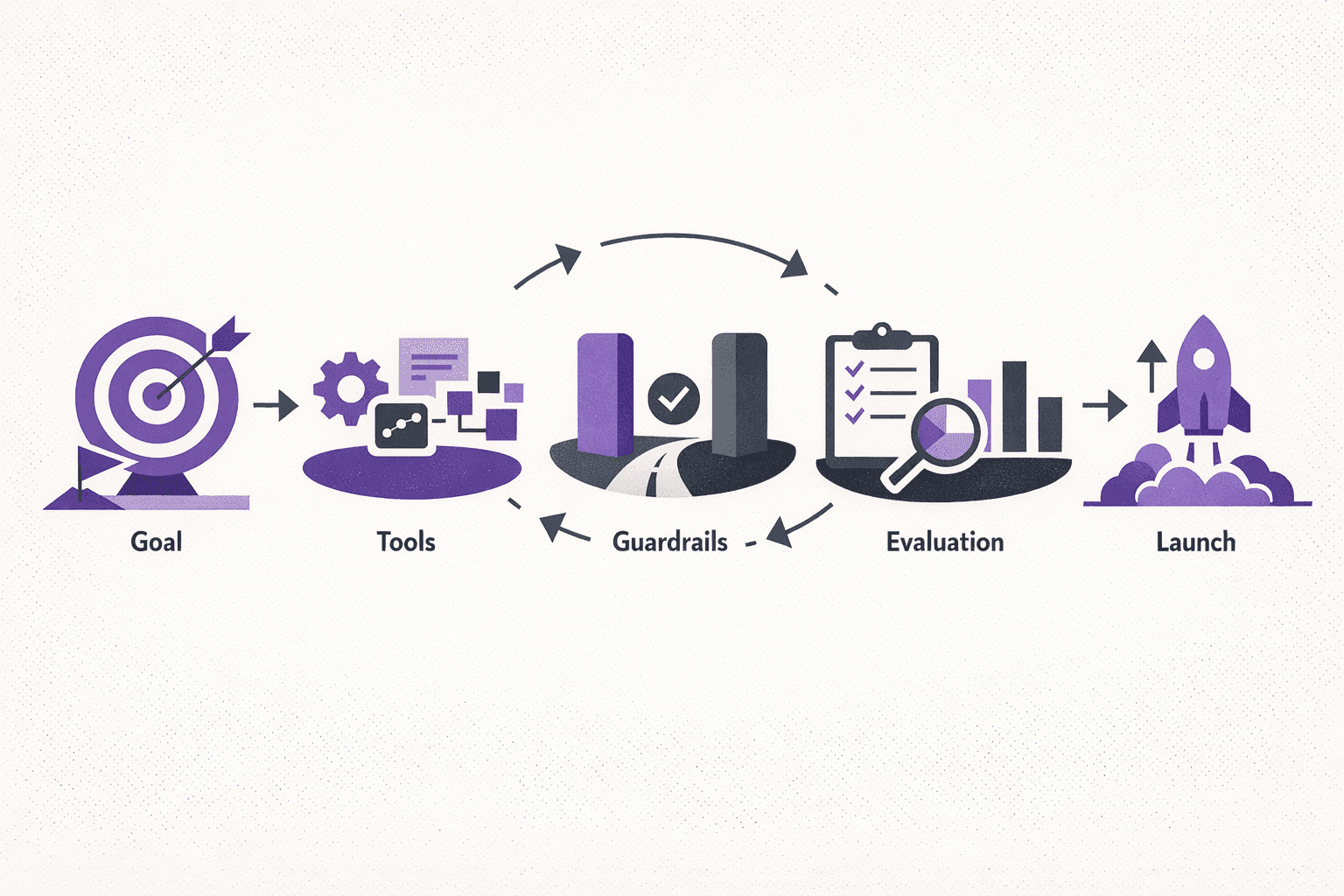
AI agent development infographic showing goal definition, pattern selection, tools, guardrails, evaluation, and launch readiness for startup teams.

What counts as an AI agent in production?

An AI agent is a system that takes a goal, plans steps, uses tools, and executes actions with persistent context. In production, that agent must also be measurable, controllable, and resilient under real-world constraints.

A production agent has five mandatory characteristics:

  • Goal-oriented: the agent accepts a clear objective and produces outcomes that map to business value.
  • Tool-using: the agent can call APIs, read data, or trigger workflows safely.
  • Stateful: the agent retains context across steps, sessions, or tasks.
  • Evaluated: success and failure are measurable with explicit metrics.
  • Governed: guardrails limit risk, cost, and security exposure.

If any one of these is missing, it is a prototype, not a production agent.

Step 1: Choose the right problem (agent vs automation vs chatbot)

Many teams jump to “agent” when the right solution is simpler. Use this decision matrix before writing any code.

NeedBest fitWhy it works
Simple input → output responseChatbotNo planning or tool use required
Repeatable steps with fixed logicWorkflow automationDeterministic and cheap to run
Multi-step, variable path, tool useAI agentPlanning + tool use adds flexibility
Multiple agents coordinatingMulti-agent systemSpecialization improves accuracy at scale

Rule of thumb: choose the simplest solution that still achieves the outcome. If a fixed workflow is sufficient, an agent adds unnecessary cost and risk.

Step 2: Select the right agent pattern

Not all agents are built the same. Choose the pattern based on the complexity of the goal and the tools required.

1) Tool-use agent (best first agent)

  • Use when: the task requires calling APIs, searching data, or running scripts.
  • Architecture: LLM + tool calling + execution layer.
  • Example: “Generate a weekly sales summary, then post it to Slack.”

2) RAG + agent hybrid

  • Use when: the agent needs up-to-date or proprietary knowledge.
  • Architecture: Retrieval layer + LLM + tool calling.
  • Example: “Answer customer questions using the product knowledge base.”

3) Multi-agent orchestration

  • Use when: different sub-tasks require specialized reasoning or tools.
  • Architecture: Orchestrator agent + specialist agents.
  • Example: “Research competitors, write a brief, then create an outreach sequence.”

4) Autonomous agent

  • Use when: the task is long-running and exploratory with changing steps.
  • Architecture: Planner + executor + evaluator with memory and retries.
  • Example: “Continuously monitor churn signals and propose retention experiments.”

Startups should begin with tool-use agents. They deliver the highest ROI with the lowest operational complexity.

Step 3: Define the goal state and success metrics

A production agent needs a precise goal and measurable outcomes. Avoid vague goals like “improve onboarding.” Use explicit outcomes and measurable thresholds.

Good goal statements:

  • “Reduce average onboarding time from 12 minutes to under 6 minutes.”
  • “Automate the first response for 70% of inbound support tickets.”
  • “Generate weekly account health summaries with 95% factual accuracy.”

Define success metrics up front:

  • Accuracy or factuality score
  • Task completion rate
  • Time saved per action
  • Human escalation rate
  • Cost per successful task

Step 3.5: Scope the first agent project

Scoping keeps the build small enough to ship and large enough to create value. The best first agent handles a narrow workflow end-to-end and includes only the tools required for that flow.

Scoping checklist:

  • Inputs: What data does the agent need? Where does it live?
  • Outputs: What is the expected output format? Who consumes it?
  • Boundaries: What actions are explicitly out of scope for the first version?
  • Fallbacks: What happens when the agent fails to complete a task?
  • Approvals: Which actions require human confirmation?
  • Compliance: Are there data restrictions (PII, HIPAA, PCI, SOC 2)?

Example scope (support agent):

  • Inputs: ticket text, customer plan, last 10 interactions
  • Outputs: draft response + recommended next action
  • Boundaries: no refunds or account changes
  • Fallback: handoff to human when confidence < 0.7
  • Approvals: human review for high-severity tickets

Step 3.6: Define memory and context strategy

Memory is the core advantage of agentic systems. It is also a major source of latency and cost. Define memory types before implementation.

Memory types to choose from:

  • Session memory: context within a single run or chat session
  • Task memory: state that persists across multiple steps
  • Long-term memory: historical facts, user preferences, or account data

Recommended approach for the first agent:

  • Keep long-term memory external in a database.
  • Use short session memory with summarization and pruning.
  • Store task state as structured JSON, not free-form text.

This approach limits context bloat and makes evaluation more deterministic.

Step 4: Design tool access and data boundaries

Tool access is the difference between a demo and a production agent. It is also the biggest source of risk. Tooling must be explicit, scoped, and auditable.

Tooling checklist

  • Least privilege: only expose the APIs and permissions the agent needs.
  • Read vs write separation: start with read-only tools where possible.
  • Structured outputs: enforce JSON schemas for tool calls.
  • Rate limits and quotas: cap usage per task, user, and day.
  • Audit logging: record tool inputs and outputs for traceability.

Common tools in startup agents

  • CRM read/write (HubSpot, Salesforce)
  • Analytics queries (Postgres, BigQuery)
  • Knowledge retrieval (RAG over docs)
  • Communications (Slack, email, ticketing)
  • Billing or account updates (Stripe, internal admin APIs)

Every tool needs a human-readable policy. If a tool cannot be explained in a sentence, it is too risky to expose.

Step 5: Build guardrails before optimization

Guardrails keep the agent safe, predictable, and cost-effective. They should be in place before performance optimizations or fine-tuning.

Guardrail layers that matter

  • Input validation: verify user intent and required fields.
  • Policy constraints: block requests that violate compliance rules.
  • Budget limits: cap token usage or tool calls per task.
  • Human-in-the-loop: require approval for high-risk actions.
  • Fallback behavior: return a safe default or escalate.

Example policy: “Any write action to billing data requires human approval and is limited to authorized roles.”

Step 6: Build the evaluation harness first

Evaluation is the most neglected part of AI agent development. Without it, success is subjective and regressions are invisible.

Evaluation types to include

  • Offline tests: curated test cases with expected outputs.
  • Golden paths: end-to-end flows that must always succeed.
  • Adversarial tests: ambiguous or tricky inputs that expose failure modes.
  • Cost tests: ensure the agent stays within budget.
  • Latency tests: measure time-to-completion under load.

Example evaluation scorecard

MetricTargetNotes
Task success rate≥ 90%Measured on offline dataset
Factual accuracy≥ 95%Verified against source data
Escalation rate≤ 10%Human review only when necessary
Cost per task≤ $0.25Includes LLM + tool calls
Median latency≤ 8sEnd-to-end completion

Build this harness before launch. It becomes the baseline for every future change.

Step 6.5: Map failure modes and escalation paths

Every production agent will fail. The goal is to fail safely, transparently, and in a way that preserves user trust.

Failure categories to plan for:

  • Ambiguous input: user intent unclear or incomplete
  • Missing data: required data not available or out of date
  • Tool failure: external API error or timeout
  • Policy violation: request conflicts with compliance rules
  • Low confidence: output quality below threshold

Recommended escalation pattern:

  • Ask one clarifying question for ambiguous input.
  • Retry once on tool failure, then fall back to a human queue.
  • Route policy violations to a compliance-safe response template.
  • Show an explicit handoff message when a human is required.

These paths can be evaluated in the test harness and measured in production.

Step 7: Choose the right framework and stack

Framework choice affects speed, reliability, and future maintenance. Use this quick comparison to align with the startup stage.

Framework comparison

  • Claude API / OpenAI API: best for direct, production-first builds with tool calling and structured outputs.
  • LangChain: faster experimentation, higher abstraction, more moving parts.
  • CrewAI: useful for multi-agent prototyping, less mature for production.
  • Google ADK: strong for Google ecosystem workflows, evolving rapidly.

Recommendation: for the first production agent, start with direct API usage and minimal abstractions. Complexity can be added once metrics are stable.

What it costs to build a startup-ready agent

Costs vary by use case, but early estimates help with prioritization and fundraising. Use the following ranges for planning.

Agent typeTypical scopeCost rangeTime range
Tool-use agent1 workflow + 2-3 tools$10K–$25K2–4 weeks
RAG + agentRetrieval + tool use$20K–$45K3–6 weeks
Multi-agentOrchestrator + 2-4 specialists$35K–$75K5–8 weeks
AutonomousPlanner + executor + evaluation$60K–$120K6–10 weeks

Key drivers of cost include tool integration complexity, evaluation coverage, compliance requirements, and latency constraints.

Step 8: Launch with safe rollout mechanics

Production readiness is not only about accuracy. It is also about how the agent is introduced to real users.

Rollout checklist

  • Shadow mode: run the agent in parallel without executing actions.
  • Gradual exposure: enable the agent for a small percentage of users.
  • Clear escalation: provide a one-click handoff to a human.
  • Monitoring: track errors, tool failures, and unusual cost spikes.
  • Feedback loop: collect user feedback and failure cases daily.

A controlled rollout protects the business and builds trust with users.

Step 9: Common pitfalls and how to avoid them

  • Over-automation: automation without measurable value leads to wasted spend.
  • No evaluation: teams cannot improve what is not measured.
  • Unbounded tool access: leads to security and compliance risks.
  • Ignoring latency: agent workflows become unusable at scale.
  • Skipping fallbacks: users lose trust after the first failure.

Each pitfall is avoidable with the framework above.

Security and compliance essentials

Security cannot be retrofitted after launch. Start with data boundaries and explicit policies.

Minimum requirements for most startups:

  • PII redaction or minimization before the LLM call
  • Separate environments for staging and production
  • Tool permission scoping and read-only defaults
  • Encrypted storage for prompts and outputs
  • Access logs for all tool calls

If the product touches regulated data (healthcare, finance, education), add compliance-specific constraints from day one.

Sample 4-week delivery timeline

This example shows a realistic timeline for a first tool-use agent in a startup environment. Timelines vary based on data access and tool readiness.

Week 1: Discovery and scoping

  • Confirm the goal statement and success metrics.
  • Inventory tools, data sources, and required permissions.
  • Draft the evaluation harness with 30–50 test cases.
  • Define the escalation policy and approval rules.

Week 2: Build core agent workflow

  • Implement tool calling with structured outputs.
  • Add session memory and task state storage.
  • Build baseline prompts and policy checks.
  • Run evaluation on the initial test set.

Week 3: Guardrails and reliability

  • Add input validation and tool-level rate limits.
  • Implement fallback and human handoff behavior.
  • Expand evaluation coverage with edge cases.
  • Measure cost and latency against targets.

Week 4: Launch readiness

  • Run shadow mode with real data.
  • Fix failure modes and tune prompts for stability.
  • Roll out to a small user cohort.
  • Set up monitoring dashboards and weekly review cadence.

This timeline keeps scope tight while still delivering production readiness.

Practical framework summary

Use this sequence for any first production agent:

Define goals and metrics

Start with a concrete outcome and measurable success targets before selecting tools or models.

Select the simplest pattern

Choose the minimum viable pattern that can solve the workflow reliably, then scale complexity gradually.

Scope tools and guardrails

Enforce least privilege, policy constraints, and approval checkpoints before enabling production actions.

Build evaluation first

Create offline and end-to-end test harnesses so regressions, latency, and cost drift are visible.

Roll out with control

Use shadow mode, progressive exposure, and explicit human handoff paths to protect user trust.

Monitor and iterate weekly

Track accuracy, escalation rate, cost per task, and latency. Tune prompts and tools from real data.

This approach reduces risk, keeps costs predictable, and delivers a clear path to value.

When to engage an AI agent development partner

Startups often benefit from external expertise when timelines are tight or the stack is complex. A partner can bring proven architectures, evaluation frameworks, and security practices.

Codse Tech delivers production-grade AI agent development with clear scope, fixed-scope sprints, and measurable outcomes. For next steps, review the AI agent development service page or explore AI integration services for broader product upgrades.

AI agent development services

Scope, build, and launch production agents with tool use, guardrails, and measurable reliability.

Explore service

AI integration services

Embed AI into existing products with secure connectors, structured outputs, and evaluation harnesses.

Explore service

FAQ: AI agent development for startups

What is AI agent development?+

AI agent development is the process of building systems that can plan tasks, use tools, and execute actions to achieve a goal. In production, it requires guardrails, evaluation, and controlled tool access.

How much does it cost to build a production agent?+

Costs vary by complexity, but most startup-ready agents require a discovery phase, 2-6 weeks of build time, and ongoing evaluation. The largest cost drivers are tool integrations, evaluation coverage, and data security requirements.

How long does it take to ship a first agent?+

A scoped, tool-use agent can be shipped in 2-4 weeks when the data and tooling are ready. More complex multi-agent or autonomous systems typically take longer due to evaluation requirements.

What is the difference between an AI agent and a chatbot?+

A chatbot responds to prompts. An AI agent plans steps, uses tools, and completes tasks. Agents require higher governance, evaluation, and cost controls than chatbots.

Which framework should be used for the first agent?+

Direct API usage with tool calling is the most reliable path for a first production agent. Higher-level frameworks can be added later when metrics are stable and use cases expand.

References

OpenAI function calling guide

OpenAI structured outputs guide

OpenAI built-in tools guide

Anthropic tool use overview

Anthropic Model Context Protocol docs

ai agent development
agentic ai
ai integration
llm tools
evaluation
startups